Feature
Index status history timeline, per URL
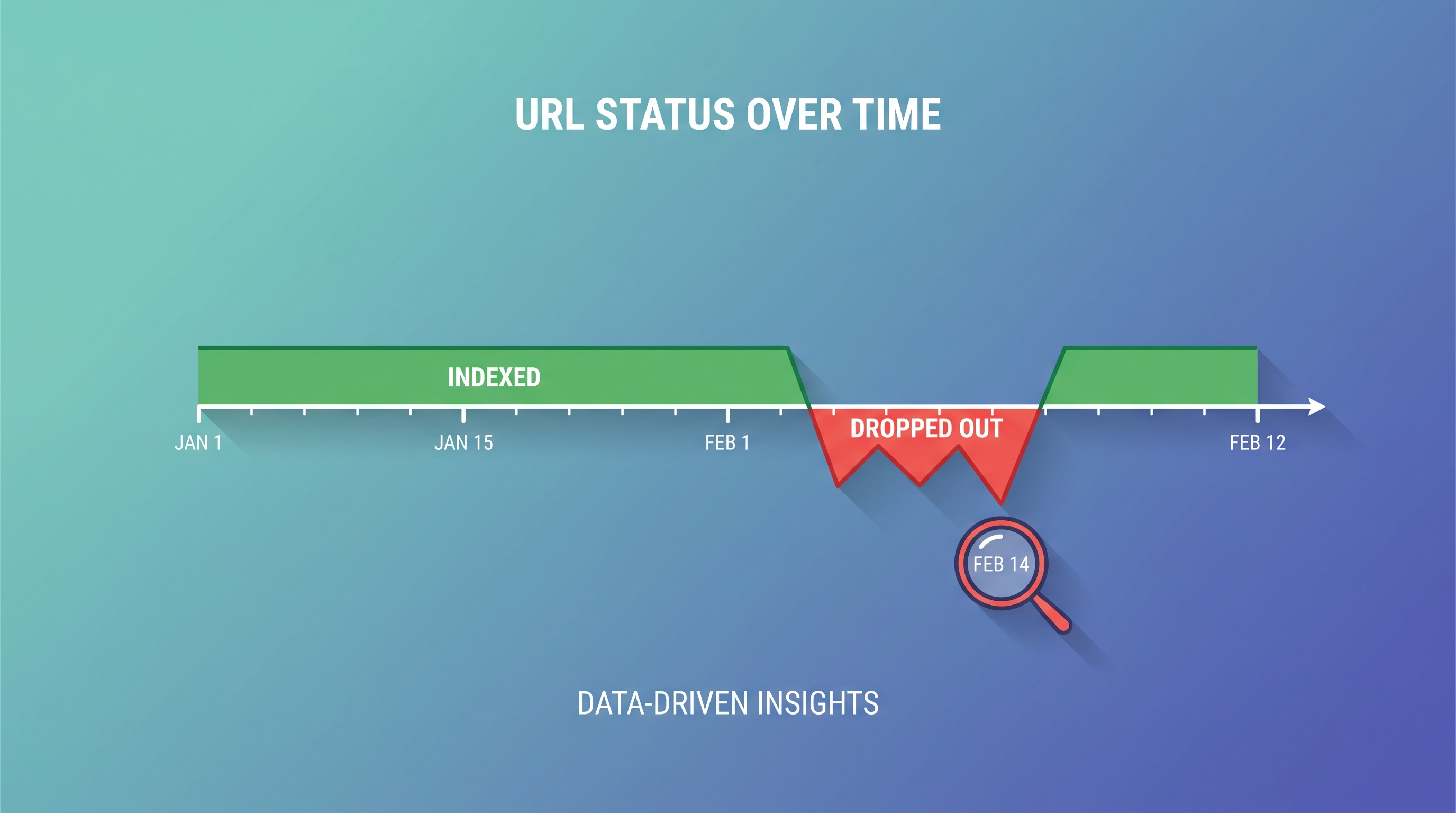
Yes, there is a tool that shows index status history per URL over time, and this is it. SearchOptimo records every scheduled check as a dated point, so each URL gets its own timeline: indexed, dropped, re-indexed. You see the exact day a page left Google’s index instead of only knowing where it stands today.
Free Basic tier, no credit card. 50 URLs checked weekly with 30-day history.
What a per-URL index history timeline shows
A per-URL index history timeline is a dated record of a single page’s Google index status, built from repeated checks over time. Instead of one current answer, you get the full sequence, so status changes become visible as events with dates attached.
A dated point per check
Every scheduled run appends a timestamped indexed / not-indexed entry to that URL’s history. No overwriting, no guesswork about when it changed.
The drop, pinpointed
The first not-indexed entry after an indexed run is your deindexing date. That is the number you cannot reconstruct after the fact from a one-off checker.
The recovery, confirmed
When a fixed page returns to the index, the timeline flips back to indexed, so you know your fix worked rather than assuming it did.
Why doesn’t Search Console keep this history for you?
Google Search Console does not store a per-URL index history over time. It answers “what is this page’s status right now” and “how many pages fall into each status bucket,” but not “which day did this specific URL change.” That gap is exactly what a monitoring timeline fills.
URL Inspection tool
- Shows the current index state of one URL.
- No dated history: you see today, not the day it changed.
- One URL at a time, checked by hand.
SearchOptimo timeline
- Keeps a dated history for every URL you monitor.
- Surfaces the exact drop and recovery dates.
- Runs on a schedule across whole campaigns, hands-off.
If you rely on the Page Indexing report today, see why a per-URL alternative to Index Coverage catches what aggregate counts hide.
How the timeline gets built
The history is a byproduct of scheduled monitoring. You set it up once and each run adds to the record automatically.
- 1
Add URLs to a campaign
Group the pages you care about, from a handful to thousands, and choose how often they should be re-checked.
- 2
Each run records a dated status
On every scheduled check, SearchOptimo records whether Google currently indexes the URL and appends a timestamped point to its history.
- 3
The points form a timeline
Indexed runs, the drop, and the recovery line up in date order, so any status change is a visible event you can trace to a cause.
- 4
Alerts fire on the transition
When a URL flips from indexed to not-indexed, an alert can notify you, so the record and the warning arrive together.
Monitoring at volume works the same way. Our guide on how to monitor index status at scale walks through campaign setup for large sites.
The alert layer on top
A timeline tells you what happened; an alert tells you the moment it happens. The two work together: the history gives you the dated evidence, and the alert makes sure a dropped page does not go unnoticed until a traffic report finally reveals it weeks later.
See how the warning side works on the deindexing alerts page, or browse the full feature set.
Frequently asked questions
- Is there a tool that shows index status history per URL over time?
- Yes. SearchOptimo keeps a per-URL index-status history and plots it as a timeline, so you can see how each page moved between indexed, dropped, and re-indexed. Every scheduled check writes a dated entry, which means you can pinpoint the exact day a URL left Google’s index instead of only knowing its status right now.
- Does Google Search Console keep per-URL index history over time?
- No. The URL Inspection tool shows a page’s current index state, not a dated history, and the Page Indexing report shows aggregate counts by reason rather than a per-URL timeline. Search Console tells you a page is "Crawled - currently not indexed" today, but not the day it changed. A monitoring tool that stores each check is what gives you the history.
- How does the per-URL timeline work?
- You add URLs to a campaign and pick a check frequency. On each run, SearchOptimo records whether Google currently indexes the URL and appends a dated point to that URL’s history. Over time those points form a timeline: a continuous indexed run, the day it dropped out, and the day it came back. Free accounts keep 30 days of history and paid plans keep up to 365 days.
- How do I find the exact day a page was deindexed?
- Open the URL’s history timeline and look for the transition from indexed to not-indexed. Because each entry is timestamped from a real check, the first not-indexed entry is your drop date. Pair that with your deploy log or content changes to work out the likely cause, then confirm the fix by watching the timeline flip back to indexed.
- Will I get alerted when a URL drops out of the index?
- Yes. The timeline is the record; the alert is the trigger. When a monitored URL changes from indexed to not-indexed, SearchOptimo can notify you so a lost page does not sit undiscovered for weeks. See deindexing alerts for how the alert layer works alongside the history.
Start building your index history today
The timeline only starts the day you begin monitoring, so the best day to start is now. Spin up the free Basic plan, add your URLs, and let the history build itself.
50 URLs checked weekly and 30-day history free. Paid plans scale to 20,000 URLs with up to 365-day history and a 30-day money-back guarantee.