Indexing
Silent Deindexing: How to Catch Pages Dropping Out of Google Before Traffic Falls
Pages can fall out of Google's index with zero warning. Learn the 5-minute test that catches a silent deindex before your traffic ever drops.
Stop guessing whether your pages are still indexed. SearchOptimo checks them on a schedule and alerts you the moment one drops.Start free, no credit card required.
Start free trial
Here's the unsettling thing about losing a page in Google: nothing breaks. The page still loads. It still looks perfect to you, to your team, to anyone who visits directly. There's no error, no red flag, no email. It has simply stopped existing in the one place that sends it visitors, Google's index, and the first hint you'll get is a dip in traffic weeks later, by which point you're not preventing a problem, you're excavating one.
This guide explains why deindexing is silent by design, walks through a five-minute test on your own most important pages, and shows where the manual approach stops being enough. If you want the definition first, what de-indexed means covers the term and the two opposite situations it describes. (Note: this is about index presence, not ranking position, a page can be indexed and still rank poorly; those are different problems.)
The Silent Drop: three stages, one blind spot
Every silent deindex follows the same three-stage arc, and almost the entire cost lives in the gaps between the stages.
Stage 1: The Drop. The page leaves Google's index. This is invisible from your side. It loads normally. Nothing in your CMS, your uptime monitor, or your inbox reacts, because nothing on your infrastructure broke.
Stage 2: The Lag. Eventually this surfaces in Search Console's indexing reports, but that data runs days behind, and it only helps if someone is actually looking at the right report on the right day. Most teams aren't checking daily, so the Drop sits undiscovered.
Stage 3: The Bleed. Weeks later, the missing traffic finally shows up as a dip in your analytics. A slow organic decline looks like noise at first (seasonality, an algorithm mutter, a bad week), so it gets rationalized before it gets investigated. By the time someone asks why a page is at zero, you've lost a month of visits, and recovery takes weeks more.
The real problem becomes obvious once you look at the arc as a whole: deindexing isn't fundamentally a technical problem, it's a detection-speed problem. The fix for most deindexed pages is genuinely quick. The expensive part is the silence between the Drop and the day you notice.
There's no error message when a page leaves Google's index. Your site is fine; the index changed, and you don't own the index.
So the useful question isn't whether this could happen to you. It's whether it's happening right now, to a page that matters, and that takes about five minutes to answer.
The 5-minute index test
Your pages, your data. You don't have to wonder whether this affects you. Test it in five minutes and you'll get real numbers on your own site.
- List your ten most important URLs. The money pages: top products, top lead-gen posts, key landing pages, the ones whose disappearance would actually hurt.
- Run the quick check. Search
site:yourdomain.com/your-best-pagein Google. A result appearing is a rough "probably indexed" signal; nothing appearing is a red flag worth escalating. (site:is a fast signal, not gospel.) - Confirm the flags. For any URL that came back empty, run it through Search Console's URL Inspection tool for the authoritative answer: indexed, not indexed, or excluded, and why.
- Tally your number. Out of ten money pages, how many are actually in the index right now?
Most people expect ten out of ten and find a surprise. That surprise is the entire point, and it's your surprise, not a claim from an article.
Being crawled is not being kept
If your tally came back with a surprise, here's why a page you did nothing to can still vanish. Getting crawled, getting indexed, and staying indexed are three different events, and the last one is never guaranteed.
Google continuously re-evaluates what's worth keeping. A page that was indexed last month can quietly drop out this month because of a quality reassessment, a duplicate or canonical tangle, an accidental noindex from a botched deploy, a thin-content judgment, a crawl issue, or simply Google deciding it's no longer worth the shelf space. Nothing dramatic happened on your end. The page didn't 404. It just left.
And it left silently: your site throws no error, because from your server's point of view nothing is wrong. The page is fine. It's the index that changed, and the index is the one place you can't see from your own dashboard.
Everyone watches the wrong pages
The SEO industry pours enormous effort into rank tracking, obsessively monitoring whether a page moved from position 8 to position 4. That's watching the pages that are still there.
Almost nobody runs the opposite watch: an alarm for pages that fell out entirely. A page dropping from indexed to not indexed is a fall from some position to no position at all, usually a bigger loss than a few ranking slots, and often a cheaper one to fix once you know about it. The blind spot isn't ranking. It's existence.
Where the manual way stops scaling
For ten pages, once, the manual test above is fine, and free. The trouble is that a silent drop can happen any week, to any page, and "remember to site:-check my top pages every few days forever" isn't a plan that survives a busy month. Manual checking has no memory, no schedule, and no alarm.
That's the point where scheduled monitoring earns its place: watching your important URLs on a fixed cadence, keeping a history so you can see exactly when a page fell (and when a fix got recognized), and alerting you within hours of a deindex instead of weeks, so you're acting in Stage 1, not excavating in Stage 3.
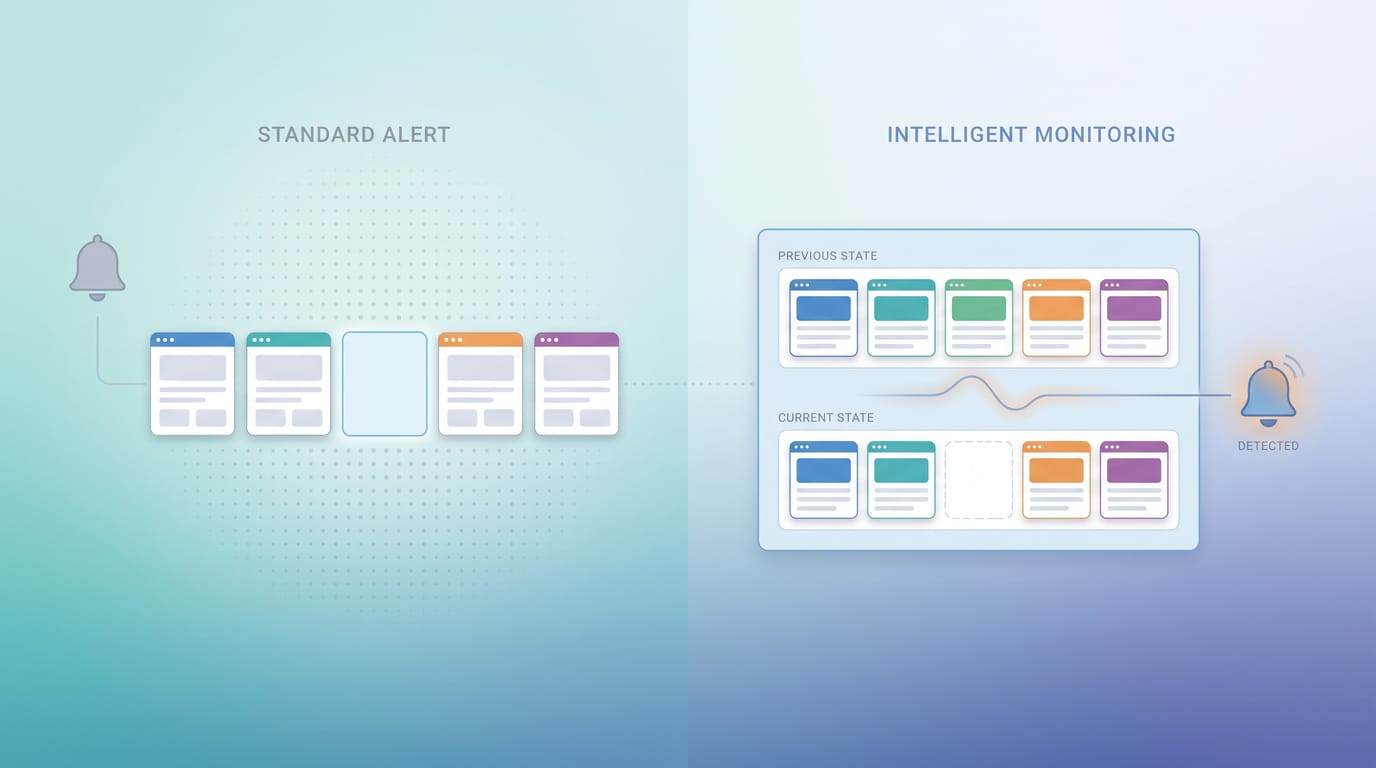
Be careful which notification channel you trust with that job, though. Most of them fire when something appears and stay silent when something vanishes, which is the wrong shape for this problem entirely: how to get alerted when Google deindexes a page scores each one.
SearchOptimo runs exactly that loop: point it at a campaign of URLs and it re-checks index status on a schedule, keeps the history, and surfaces deindexing alerts the moment a page falls out. You can also run a one-off bulk index check across an entire site right now with no account, and submit pages via IndexNow to get fresh or updated content crawled faster while you're at it.
The goal isn't more dashboards. It's collapsing the gap between the Drop and the day you know, because that gap is the only part of this problem that actually costs you anything.
Where to go from here
Run the 5-minute index test on your top ten URLs today. However many you find missing, that's your baseline. If it's zero, great, but the drop can come any week, to any page. When "check my top pages by hand, forever" stops being realistic, start a free trial and turn on scheduled monitoring and deindex alerts for the pages that make you money (100 URLs/month, no card required). If you want the full workflow first, see how to monitor index status at scale, or our honest breakdown of whether it's worth it for your case.
Frequently asked questions
- How do I check if my page is still in Google's index?
- Search `site:yourdomain.com/your-page-path` in Google. A result appearing is a rough sign the page is indexed; nothing appearing is a red flag worth confirming with Search Console's URL Inspection tool, which gives the authoritative answer and the reason if it's excluded.
- How often should I check whether my pages are still indexed?
- For a handful of critical pages, a manual site: check every few days catches most drops before they cost much traffic. Past a dozen or so URLs, or if you can't commit to checking on a fixed schedule, scheduled monitoring with alerts closes the gap that manual checks always leave.
Monitor your index status automatically
SearchOptimo re-checks your URLs on a schedule and alerts you when something drops. Start free, no credit card.
Start freeKeep reading
Indexing
Pages Deindexed After a Google Update? Here Is What We Measured During the August 2026 Rollout
Google's August 2026 spam update is still rolling out. We re-checked 288 indexed URLs, and we publish our own 97% visibility loss. Here is how to tell a deindexing from a ranking drop.

Indexing
How to Monitor Google Index Status Automatically (And the Ceiling Nobody Mentions)
There are only three ways to automate index-status monitoring, and one number decides which one you can use. Here is the math, and what to do above the limit.
Deindexing
How to Get Alerted When Google Deindexes a Page (And Why Google Alerts Can't Do It)
Most advice tells you to set a Google Alert. It cannot work: alerts fire when results appear, never when they vanish. Here is how deindex alerting actually works.